Which Waves Plugins Should You Pick? Black Friday 2026 Vocal & Mixing Guide
This post contains affiliate links — if you buy through them, I may earn a small commission at no extra cost to you. I’m also a Waves affiliate and may receive compensation for eligible free-plugin signups.
Updated November 2, 2026. Offers and availability may change.
Three plugins for $49.99 sounds good until you open the catalog and spend an hour deciding what belongs in your cart. If you record your own vocals, here is the selection I would start with: Waves Tune Real-Time, Silk Vocal, and H-Delay.
For six, I would add CLA-76, Curves Equator, and L4 Ultramaximizer. That gives you options for recording, mixing, and finishing a song, without spending every slot on another version of the same compressor.
These are suggested selections, subject to the current offer’s eligibility. Waves is advertising three eligible plugins for $49.99 and six for $99.98. Check the eligible catalog and your cart before buying.
See the eligible Waves Black Friday plugins →
Who These Picks Are For
I’m Dylan Droll, an acoustic rap artist and mixing engineer. I’m choosing for artists who record themselves, mix vocals over an instrumental, and want to spend more time finishing songs. My perspective comes from vocal-led music like “Every Time We Sing” and “Phases”.
You can read my existing Waves vocal guide for the tools I’ve discussed using in my own work. Here, the question is what I would put in a useful Black Friday selection today.
My Three-Plugin Starting Selection
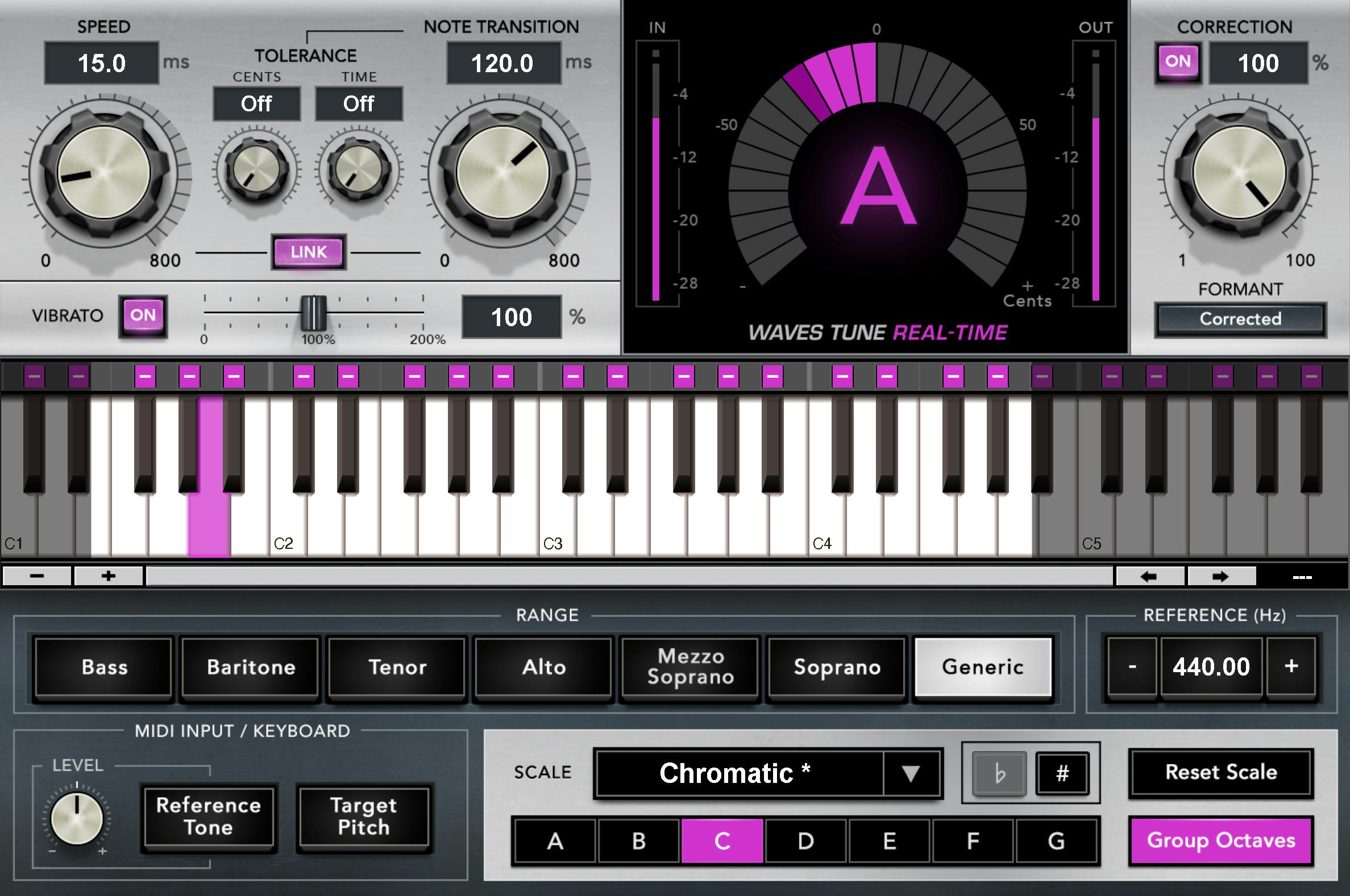
1. Waves Tune Real-Time: Pitch Correction
Start here if tuning is the missing piece in your setup. Waves Tune Real-Time handles automatic pitch correction while you record or play back a vocal. Set the correct key and scale, then choose correction speed by listening to the performance.
On a quiet delivery, pay attention to the ends of notes and slides between them. For a more obvious tuned effect, compare faster settings. You still want the melody to land where you intended. If you already own a tuner you like, use this slot elsewhere.
Find Waves Tune Real-Time in Waves specials →
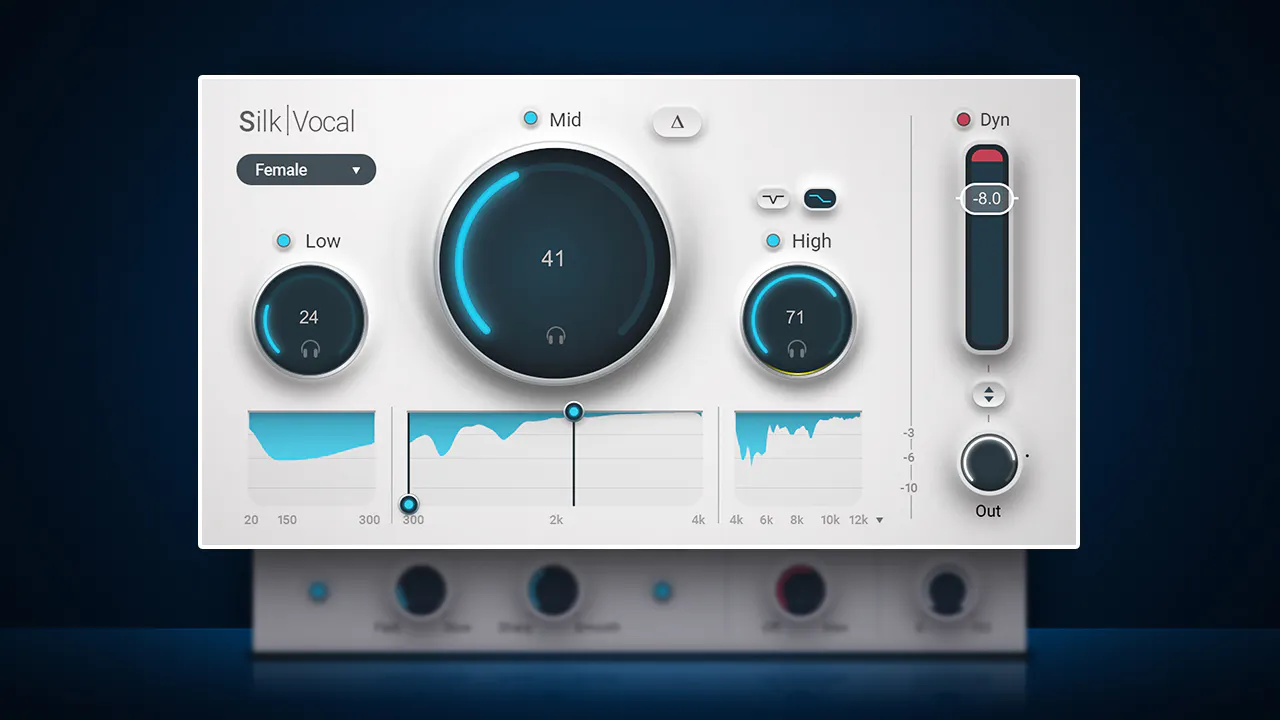
2. Silk Vocal: An Approachable Vocal-Shaping Tool
Silk Vocal combines vocal-focused EQ and dynamics processing. It is my pick for readers who hear boominess, an edgy midrange, or sharp top end but do not want to build a complicated corrective chain.
Work on the part of the vocal that distracts you, then compare at a similar volume. If the voice loses its character as you turn the processing up, back off. Keep your stock compressor and EQ available; one purchase does not need to solve every vocal problem.
Find Silk Vocal in Waves specials →
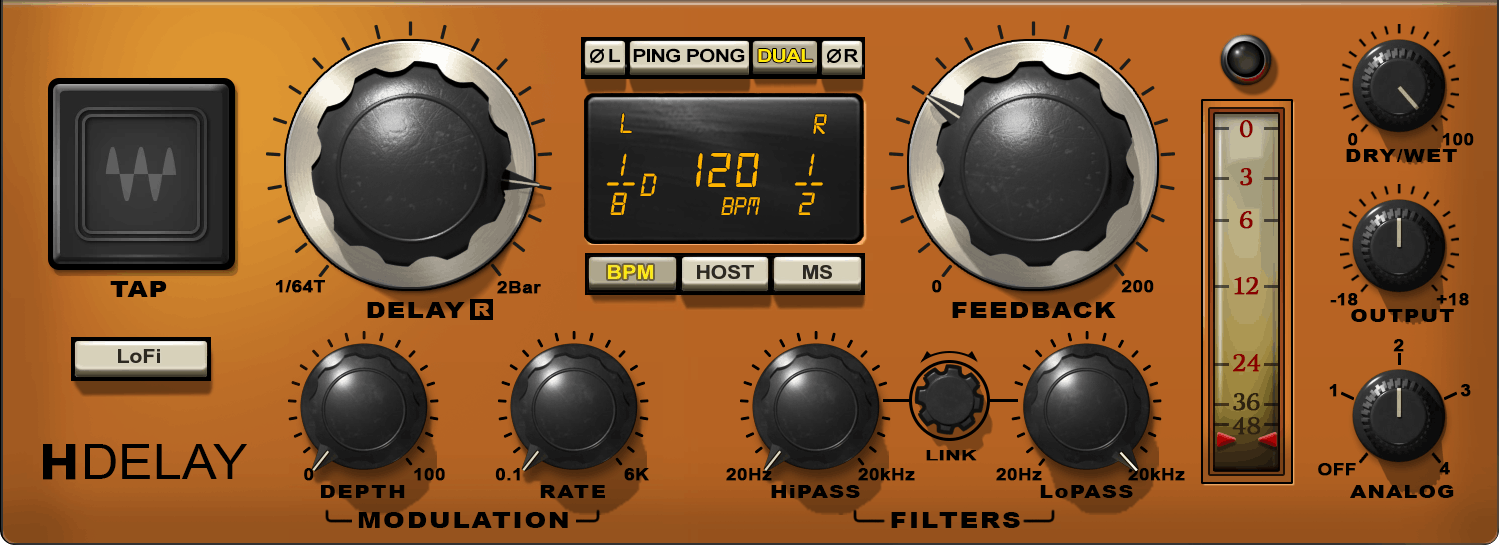
3. H-Delay: Space Around the Words
H-Delay gives you classic delay effects, including tempo-synced echoes, filtering, and modulation. I would use this slot for an effect because a little movement around the vocal can do more for a finished arrangement than another corrective tool.
Try it on an aux, keep the dry lead clear, and automate a send on the end of a phrase. Listen to whether the echo fills the gap or steps on the next lyric. That is a useful exercise for the intimate vocal style I write about in these guides.
Find H-Delay in Waves specials →
My Six-Plugin Selection: Add These Three
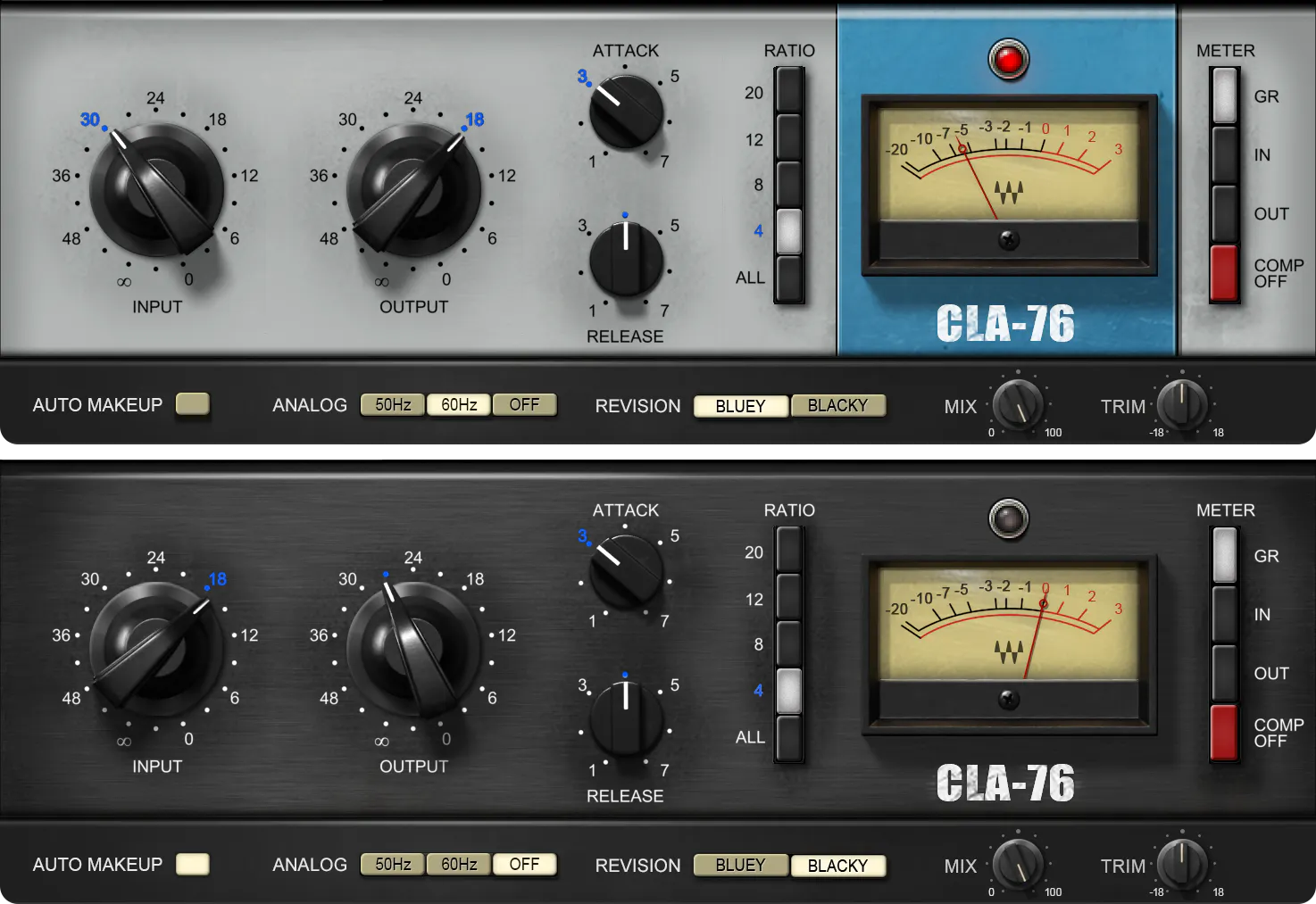
4. CLA-76: More Control Over Vocal Peaks
CLA-76 is a fast FET-style compressor. Add it if you want more direct control over vocal dynamics, especially when loud syllables jump ahead of the rest of the line.
Loop a section that includes both a soft phrase and a louder one. Adjust the compression while the instrumental plays, then check that the quieter words remain understandable. A vocal can look controlled on a meter and still lose its energy. Use your ears to decide how much it needs.
Find CLA-76 in Waves specials →
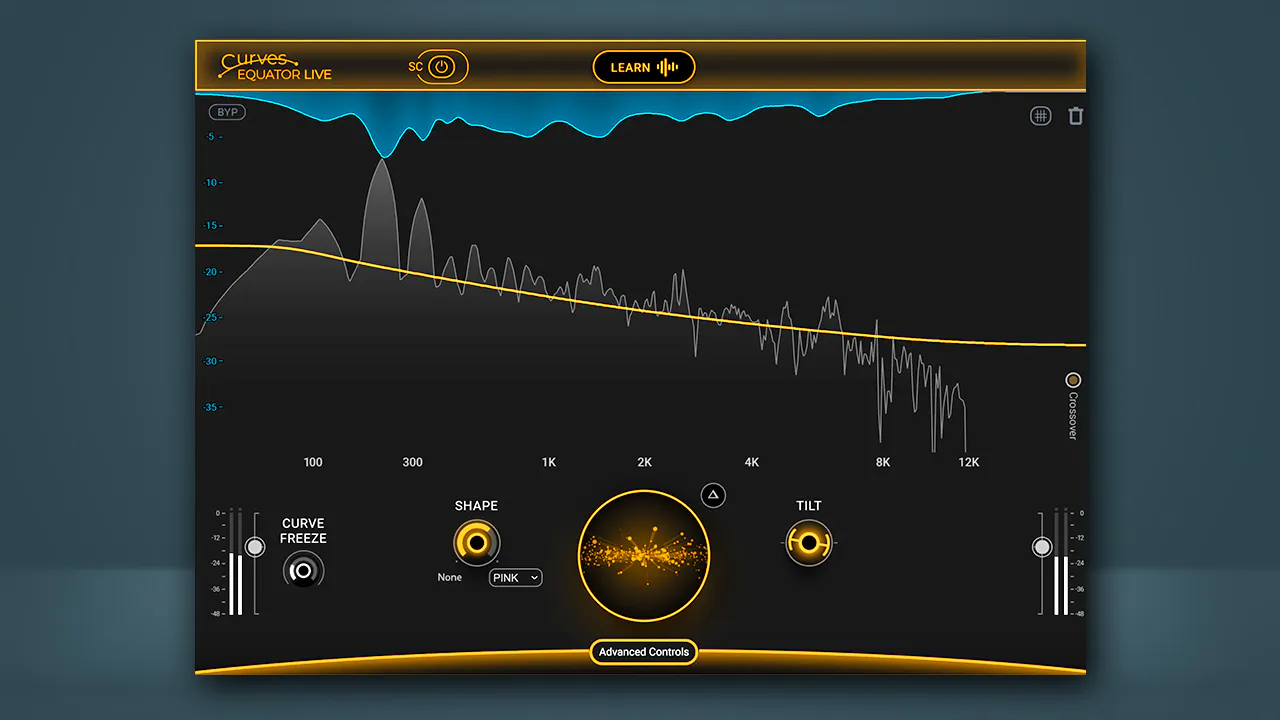
5. Curves Equator: Resonance Control Beyond the Lead Vocal
Curves Equator offers adaptive resonance suppression and frequency unmasking. It earns a place in the larger selection because you can explore it on instruments and full mixes as well as vocals.
Think about a vocal competing with an acoustic guitar or a stereo instrumental. First decide whether the issue is level, arrangement, or a particular frequency range. Equator is an option for the frequency side of that problem. It cannot give you independent control over every instrument baked into a two-track beat.
There is overlap with Silk Vocal. You do not need both on every vocal. Keep Silk for a simpler vocal-focused approach, and consider Equator when you want a broader tool across sources. My Curves Equator comparison gives you more to consider before buying.
Find Curves Equator in Waves specials →
6. L4 Ultramaximizer: Finishing Your Mix
L4 brings limiting, multiple processing modes, true-peak control, and loudness metering to the final stage. It is the pick for artists who want to compare approaches to finishing their own songs.
Level-match when comparing settings. A louder version can seem better even when it makes the vocal smaller or the guitar less clear. Before pushing for more level, make sure the mix already feels balanced. Read my L4 vs L3 vs L2 guide if you are deciding whether to upgrade an existing limiter.

Find L4 Ultramaximizer in Waves specials →
What I Would Swap Based on Your Setup
- Already have pitch correction? Consider Clarity Vx if background noise is a recurring recording problem.
- Already have a limiter you trust? Keep it. You may get more value from a tool that solves an earlier problem in your mix.
- Already have resonance control? Equator may overlap with your setup. Choose another eligible tool you have tested and actually need.
- Need vocal alignment or a new reverb? Look separately at Sync Vx or Atlas Reverb. Both are excluded from the announced multi-buy offers.
Use the Songs as a Listening Reference

Put on “Phases” and listen to how the voice sits with the music. Then try “Every Time We Sing” and focus on how the words hold your attention. Those are the kinds of decisions I want these tools to support.
You do not have to copy my sound. Pick a song you love, identify what makes its vocal work, and use that as a direction for your own recording. A useful plugin earns its place when it helps you make that decision faster.
Three or Six: Which Would I Choose?
Choose three if those three fill the gaps you have. The per-plugin cost is essentially the same in both announced offers, so buying six does not unlock a meaningful extra discount per plugin. Choose six when the additional tools have clear jobs in your setup.
Before checkout, check plugin compatibility, existing ownership, and whether your subscription already includes a choice. Then confirm that the offer has applied to every selected item.
Build your Waves Black Friday selection →
More Waves Guides to Read Next
- Waves Black Friday 2026 Deals — see the announced offers and exclusions.
- Waves Free Black Friday Plugin Signup — sign up ahead of the mystery-plugin reveal.
- Auto-Tune vs Waves Tune — compare pitch-correction options.
- Sync Vx vs VocAlign — compare tools for doubles and harmonies.
Explore This Is Acoustic Rap
If the sound behind these guides connects with you, listen to my This Is Acoustic Rap playlist. It is another way to discover the music around this style and keep listening after the article.
Hear the music behind these guides: Listen to "Every Time We Sing" and "Phases". Find more of my music at dylandroll.com/links.
Shopping for Waves plugins? Browse the current Waves specials, or explore Waves subscription options if you prefer access through a plan. Check the included plugins and current terms before choosing.
Releasing your own music? I distribute mine through DistroKid — get your next release on Spotify, Apple Music, and everywhere else through my link.
Keep in touch: Join my mailing list using the form on my music page for recording tips, plugin updates, and new music, or follow Dylan Droll on Spotify.