
Waves Sync Vx vs VocAlign (2026): Which Vocal Alignment Plugin Should You Get?

If you record vocal doubles or harmonies, you know how much time it takes to get every take lined up. Waves Sync Vx and Synchro Arts VocAlign both help speed up that process—but which one makes more sense for your setup?
For years, Synchro Arts VocAlign was basically the only serious option for vocal alignment. If you stacked doubles or harmonies, you used VocAlign. That was the answer. Then Waves released Sync Vx at NAMM 2025 and suddenly there's a real conversation to be had.
I'm Dylan Droll — acoustic rap artist and mixing engineer. I've tested Sync Vx and VocAlign 7 Pro. Here's the honest breakdown, updated to reflect VocAlign 7 and the current workflow options.
Disclosure: LANDR provided a complimentary VocAlign 7 Pro license for this article update. Some links are affiliate links, which means I may earn a commission from qualifying purchases.
What vocal alignment plugins actually do
When you record vocal doubles or harmonies, the timing and pitch between takes is never perfectly tight — even with a great vocalist. Vocal alignment plugins analyze a reference track and automatically warp the other takes to match it. The result is a tighter, more cohesive stack without spending hours editing by hand.
Before tools like this existed, engineers did it manually in the DAW — zooming in and nudging regions by milliseconds. It worked, but it was slow. Alignment plugins collapsed that process to seconds.
What Waves Sync Vx is
Click here to purchase the Sync Vx plugin!
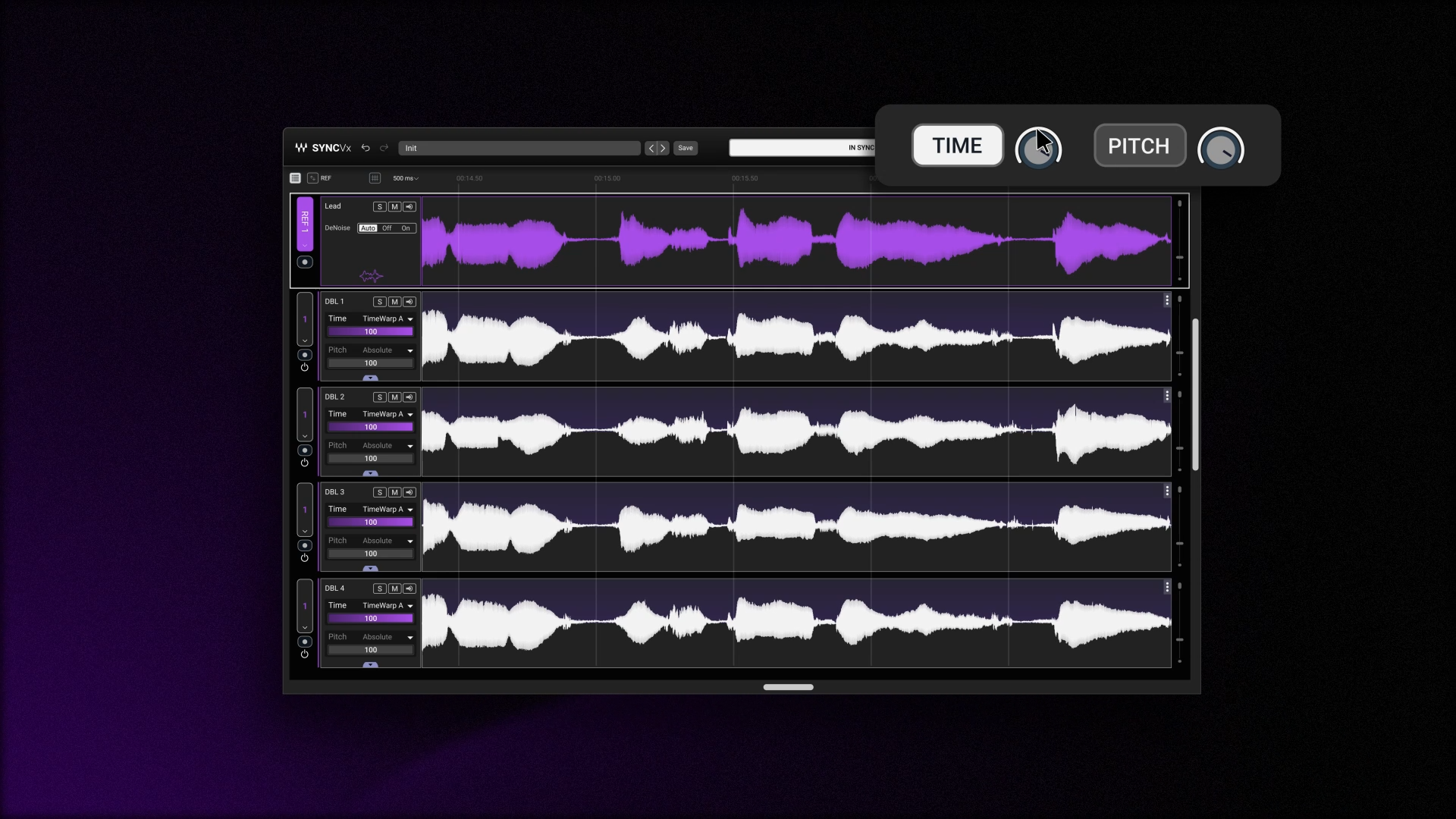
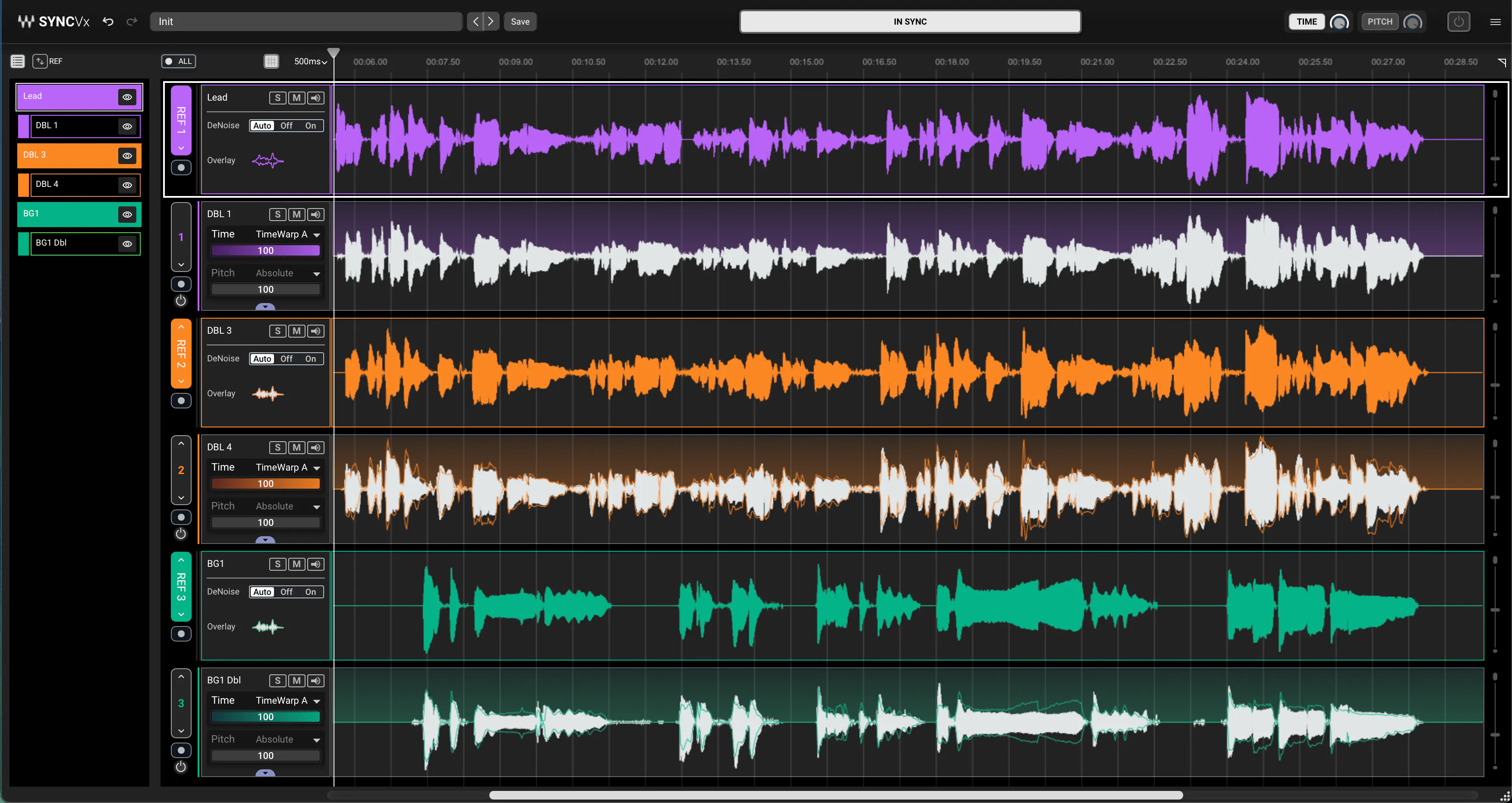
Sync Vx is Waves' vocal alignment plugin, released February 2025. It automatically matches the timing and pitch of multiple vocal tracks to a reference performance. The interface looks like a mini DAW timeline — each vocal track gets its own waveform display, mute/solo controls, and independent time and pitch alignment sliders. It handles up to 16 mono tracks at once with up to four reference tracks, which covers everything from simple doubles to complex harmony stacks.
The automatic alignment is fast and accurate. You can also add sync markers manually to guide it in specific spots. It also has formant shifting and transposition controls, so it works for creative harmony building, not just cleanup.
One thing you need to know before buying: Sync Vx now supports regular plugin inserts as well as ARA in compatible DAWs, plus AudioSuite in Pro Tools. It is no longer ARA-only. Check the current Waves compatibility and setup instructions for your DAW before purchasing.
Already on a Waves subscription? Check whether your plan includes Sync Vx.
Get the Waves subscription here
Want to test it first?
Start with the Waves free trial here
What Synchro Arts VocAlign is
VocAlign has been the industry standard for vocal alignment for over a decade. It analyzes a guide track and aligns other vocal takes to it. The current VocAlign 7 editions are Standard and Pro. Standard focuses on timing alignment, while Pro adds pitch matching with SmartPitch and more detailed editing controls. Pro is the version that directly competes with Sync Vx for both time and pitch alignment.
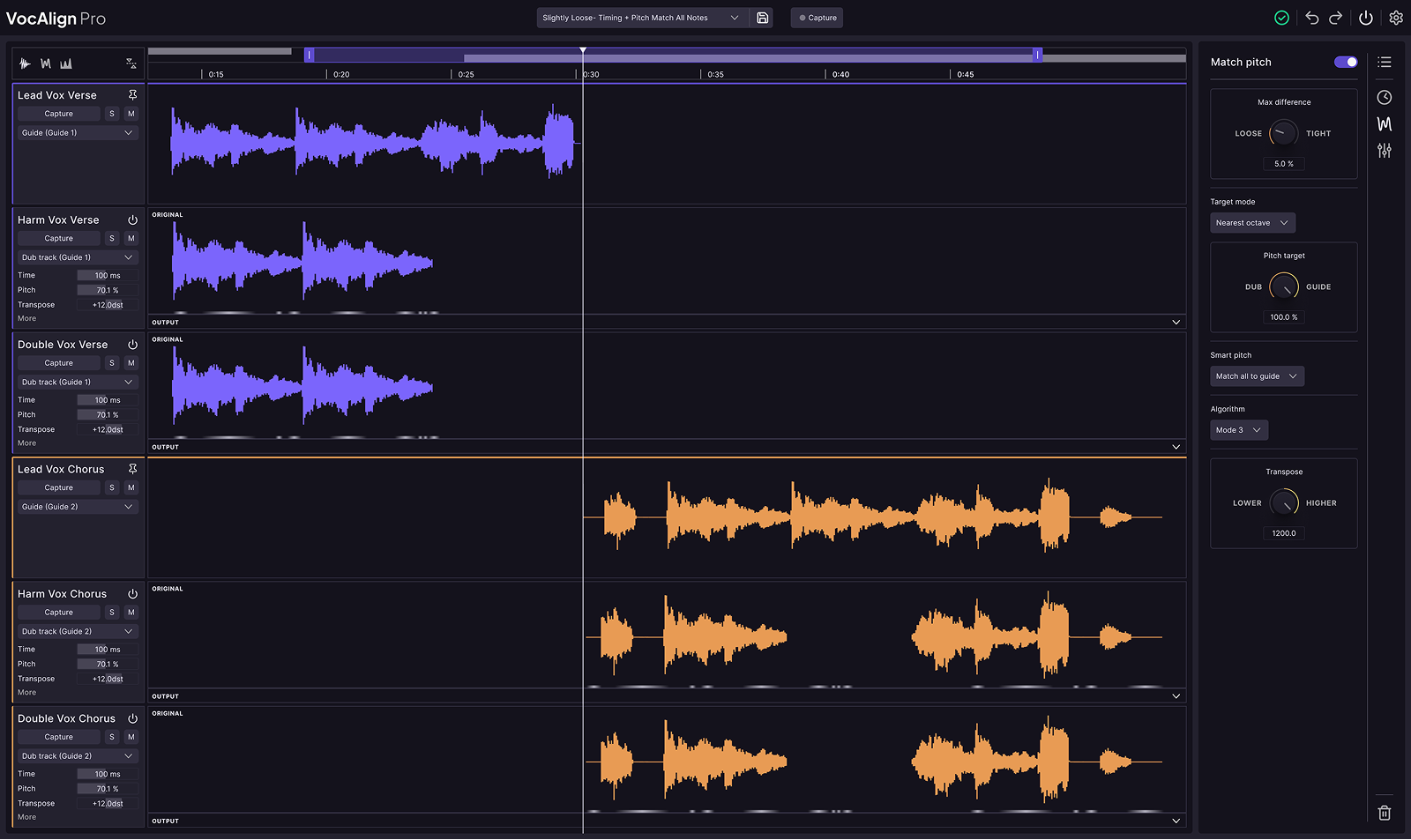
It's trusted on major sessions. The name is recognizable in professional circles. VocAlign 7 updates the workflow with a shared multitrack view and flexible guide assignment. Pro also includes Sync Points, Protected Areas, and formant controls. See the current VocAlign 7 editions here.
Waves Sync Vx vs VocAlign: the real difference
The simplest way to frame it:
VocAlign is the battle-tested industry standard, now with an updated multitrack workflow in version 7.
Sync Vx is the newer option with a DAW-style workflow and strong value if it's already included in your Waves plan.
That doesn't make one automatically better. It means they fit different situations.
- Use VocAlign 7 Pro if it's already part of your workflow, or if you want its SmartPitch, Sync Points, and Protected Areas controls.
- Use Waves Sync Vx if your Waves plan includes it, you're on a supported DAW, and you regularly stack vocals. The value can be significant.
Key differences at a glance
- Auto time alignment: Both do it well.
- Auto pitch alignment: Sync Vx includes it. VocAlign 7 includes it in Pro, rather than Standard.
- ARA2 required: Neither is ARA-only. Both offer non-ARA workflows; check support for your DAW.
- Max tracks at once: Sync Vx handles up to 16 mono tracks with 4 reference tracks.
- Formant shifting: Sync Vx has it built in. VocAlign 7 Pro also includes formant controls.
- Interface: Sync Vx has a DAW-style layout. VocAlign 7 now also offers a shared multitrack workspace.
- Price: Check current Waves and Synchro Arts pricing, subscription inclusions, and upgrade offers before buying.
- Marker workflow: Sync Vx uses sync markers. VocAlign 7 Pro offers Sync Points and Protected Areas for more targeted alignment.
- Brand track record: VocAlign has 10+ years as the industry standard. Sync Vx is new — 2025 release.
Which is better for artists and home studios?
For independent artists and home studio engineers in 2026, Sync Vx is a practical option — especially if it's already included in your Waves subscription. In that case, you're not paying extra for it. You get time alignment, pitch alignment, formant shifting, and a clean interface, all in one tool that's already in your library.
The setup is still worth checking before you buy. Both plugins offer ARA and non-ARA workflows, but the exact process depends on your DAW. Look up the instructions for your specific setup before assuming they'll load and work the same way.
VocAlign 7 Pro also makes sense for artists and home studios that want its pitch matching and detailed alignment controls. VocAlign 7 Standard is worth looking at as a lower-cost entry point if you mainly need timing alignment.

My real-world take
When I tested Sync Vx, the first thing I noticed was how fast the interface made sense. It looks like a small DAW — each track has its own waveform lane, you can see the alignment happening visually, and the automatic correction kicked in without a lot of manual setup. For a doubled lead vocal on an acoustic track, it handled it cleanly.
I've now tested VocAlign 7 Pro as well, and I enjoyed using it. Its track record is still a strength, but the current multitrack workflow and Pro controls give it more to offer than the older comparison suggested. Having the vocal stack in one workspace makes it easier to see how the different takes relate to each other. Tools like Sync Points and Protected Areas also give you more control over where alignment happens and which parts of a performance stay untouched.
If Sync Vx is already included in your Waves plan, it makes sense to try what you have first. VocAlign 7 Pro is also worth considering, especially if you want its SmartPitch, Sync Points, and Protected Areas. The better choice comes down to your workflow, budget, and the controls you’ll actually use.
Why this matters as an artist
Tight vocal stacks are one of those things listeners feel even when they can't name it. When doubles and harmonies don't line up the way you want, they can distract from an otherwise strong performance. Getting them to work together without spending hours on manual edits is the kind of workflow upgrade that actually shows up in your output.
That's a big part of why I pay attention to tools like this. I want to spend more time making music and less time on repetitive editing.
If you want to hear the kind of music I'm talking about, here's the playlist I've been building around the acoustic rap sound:
Other plugin articles worth reading
If you're building out your vocal production setup, these will help too:
- Waves L4 vs FabFilter Pro-L2 (2026): Which Limiter Is Better?
- Waves L4 Ultramaximizer vs L2: What's the Difference and Which Should You Use?
- How Loud Should Vocals Be in a Mix? dB / LUFS Cheat Sheet for Artists
And if you're ready to grab Sync Vx or check out the Waves subscription, here are the links:
Get Waves Sync Vx
Start your Waves free trial
