Waves Rogue Pre-Focus: Free Black Friday Plugin 2026
I may earn a commission from purchases through my links at no extra cost to you.
Waves Rogue Pre-Focus is free to claim on Black Friday only, Friday, November 27, 2026. It puts six modeled analog preamp circuits in one plugin. If you’ve got a vocal take you love and it feels a little thin next to the guitar, this gives you a few different ways to bring some weight into the recording.
Claim Waves Rogue Pre-Focus free →
How to claim and install Rogue Pre-Focus
- Open the giveaway page and sign in to your Waves account. Create a free account if you need one. If you signed up early for the giveaway, start with the email address you used then.
- Register Rogue Pre-Focus on the giveaway page while the free offer is active.
- Sign in to Waves Central with the same account. Open Install Products, go to My Products, and select Rogue Pre-Focus to install and activate it.
If this is your first Waves plugin, their Waves Central installation guide walks through where to find those options.

What does Rogue Pre-Focus do?
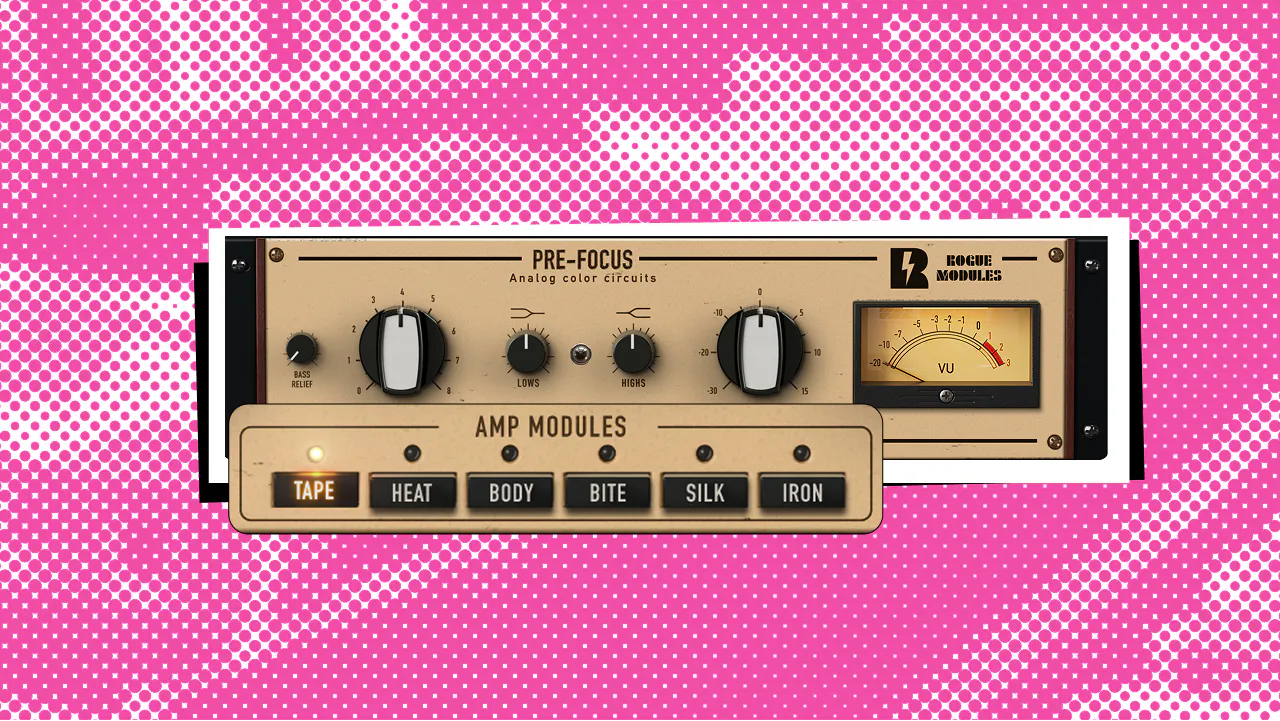
The six preamp modes are Tape, Heat, Body, Bite, Silk, and Iron. Switching modes changes how the plugin colors your signal. Turn up Gain to drive the circuit harder. A little drive can add some texture, and pushing it further can make the saturation part of the sound.
On a quiet lead vocal, I’d start with Silk for a subtle change or try Body if the take feels thin. If the consonants are already sharp, I’d save Bite for a track that could use more edge. You can hear the effect on vocals, drums, bass, and guitar in the before-and-after demos from Waves.
How I’d try it on a lead vocal in Pro Tools
- Loop two lines with the rest of the mix playing. Pick a quieter line and one where you lean into the mic. Put Pre-Focus before your existing EQ and compression so you can hear how the rest of your chain responds.
- Start with Silk and keep the drive subtle. Switch to Body on the same loop if you’re trying to give the take more weight. If driving the plugin makes the low end crowd the mix, try a little Bass Relief.
- Match the level with Output before you compare. Toggle bypass and get the two versions close in loudness. Recheck Output when you switch modes. It’s easy to pick the louder version when you’re listening for a small change.
- Listen to the end of each line. Can you still hear the last few words over the guitar or beat? If the extra texture sounds good on a double but feels like too much on the lead, try leaving it on the double.
With songs like “Every Time We Sing” and “Phases,” the way I say a line is part of the song. If I’m adding color to that kind of vocal, I want to hear what it does to the quieter words first. You can hear both tracks on your preferred platform through my music links.

Get Rogue Pre-Focus free for Black Friday →
More vocal mixing guides
If you’re working on the rest of your chain, see my Waves plugins for vocals guide for tools to reach for when a vocal needs EQ, compression, or space.

Listen to This Is Acoustic Rap
If you like hearing acoustic guitar and rap vocals together, save my This Is Acoustic Rap playlist on Spotify.
Keep in touch. Join my mailing list for recording tips and new music using the form on my music page.