
Pro Tools Templates: Why Every Artist Should Have One
There was a time when every session I opened felt like starting over from scratch. Rebuilding tracks. Loading plugins. Setting up busses. Naming everything manually.
It worked… but it burned so much time and energy before I even hit record.
If you’re recording music seriously — or even just trying to stay consistent — there’s one simple move that’ll change your whole workflow:
Building your own Pro Tools templates.
It sounds small. But once you set it up, you’ll never go back.
What is a Pro Tools Template?
A Pro Tools template is a pre-built session that already has:
- Your track layout (lead vocal, doubles, adlibs, harmonies, etc.)
- Your basic plugin chains (EQ, compression, de-esser, reverb, delay)
- Your routing (busses, aux sends, master fader)
- Your color coding and organization
Basically, it's your full session ready to go — before you even record the first word.
Instead of rebuilding everything from scratch every time, you just open your template and get straight to creating.
Why Templates Matter (More Than You Think)
At first, I thought templates were just a time-saver. But they’re way more than that.
Here’s what building Pro Tools templates actually gives you:
- Consistency: Your vocal chain, your routing, your sound — locked in every session.
- Speed: You can literally go from idea to recording in under a minute.
- Focus: Instead of getting lost setting up compressors and reverbs, you stay locked into the vibe.
- Professionalism: Whether you're recording for yourself or for clients, a clean, organized session instantly shows you know what you're doing.
Templates make your whole process smoother, faster, and more professional. And that energy carries straight into your music.

How to Build Your First Pro Tools Template
It’s easier than you think. Here’s the basic game plan:
- Set up a session the way you would for a typical recording.
- Create tracks for your lead vocals, doubles, adlibs, harmonies, reference beats, etc.
- Insert your go-to plugins on each track (stock plugins, Waves plugins, or whatever you use).
- Set your routing (busses for reverb, delay, parallel compression if needed).
- Color code and label tracks for easy navigation.
- Save as Template under the File menu in Pro Tools.
✅ Bonus tip: Create a few versions for different moods — like “Vocal Template (Rap),” “Vocal Template (Singing),” and “Vocal Template (Acoustic)” so you’re always ready.

Real Talk: How Templates Changed My Sessions
Before templates, I used to lose the best ideas because I’d get stuck setting up sessions.
Now? If I get hit with inspiration at 1:30 AM, I can open a Pro Tools template and be recording in under 60 seconds.
It keeps me in the zone. It protects my ideas. It makes everything faster — and the faster you move, the more magic you catch before it disappears.
Start With This: Free Trials + Plugin Chains
If you want to build even stronger templates, I recommend starting with some solid free tools:
- Pro Tools Free Trial — if you don’t have the full version yet
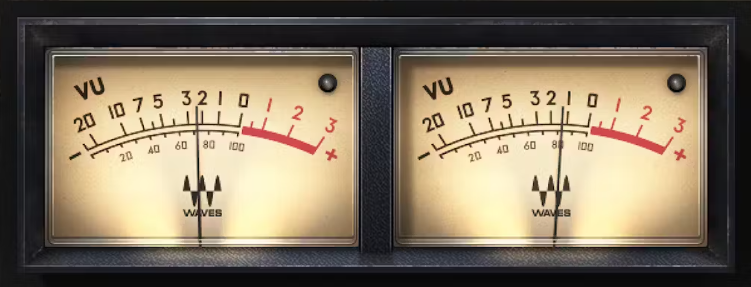
- Waves Audio Free Trial — better plugins for compression, EQ, and effects
- Distrokid — to distribute your music to your favorite music streaming platforms
- Amazon Music Free Trial — for all your high quality music streaming needs
- Amazon Storefront: Recommended Home Studio Gear
Trust me — even a basic template with stock plugins and solid gain staging will put you miles ahead of where most beginners start.

Want to Level Up Even More?
If you're serious about your sound and consistency, check out my services page or DM me on Instagram for custom templates, mix feedback, and coaching.
Stay ready so you don’t have to get ready.

🔥 Prime Day Bonus Tip for Young Creators
If you’re a student or young adult (18–24), don’t sleep on the Amazon Prime Student & Young Adult 6-Month Trial. It’s 100% free to start and comes with perks like:
- 💸 5% cash back on headphones, music gear, clothes, and tech
- 📦 Fast free shipping on studio essentials
- 🎶 Unlimited Amazon Music & Prime Video access
- 🍔 Grubhub+ and other exclusive student perks
👉 Tap here to start your 6-month free trial before Prime Day ends — and stretch your budget while building your dream setup.