
Mixing Rap Vocals in Pro Tools: A Step-by-Step Beginner’s Guide (2025 Edition)

If you're trying to make your rap vocals sound professional using just Pro Tools and your bedroom setup — trust me, I've been there.
I’m Dylan Droll, an independent artist, songwriter, and engineer who started mixing songs in closets, dorms, and rented rooms. My first mixes were rough. Harsh highs, boomy lows, no vocal presence. But over time, I learned what really matters. And now I want to help you skip all the trial-and-error by giving you the exact vocal mixing process I wish I had when I started.
Whether you're using Pro Tools Intro, Artist, or Studio, this guide will walk you through how to mix rap vocals in Pro Tools like a pro — step by step.
Step 1: Import & Prep Your Session
Before you mix anything, you have to stay organized. That means:
- Labeling your tracks clearly ("Lead Vocal," "Adlibs," "Doubles")
- Grouping your vocals and instrumentals
- Color-coding to stay clean
A messy session leads to a messy mix. I usually start by importing a beat and vocal stems. If you're just starting out and want to drop your first release, I recommend using DistroKid to upload your songs to all major platforms fast.
Step 2: Gain Staging — The Foundation
A lot of beginners skip this. Don’t. If your vocals are recorded too loud or too quiet, your plugins won't work properly.
- I shoot for peaks around -10 dB to -6 dB before I add effects.
- If you're using audio interfaces like the Focusrite Scarlett or Apollo Solo, make sure your preamp gain isn't maxed out.
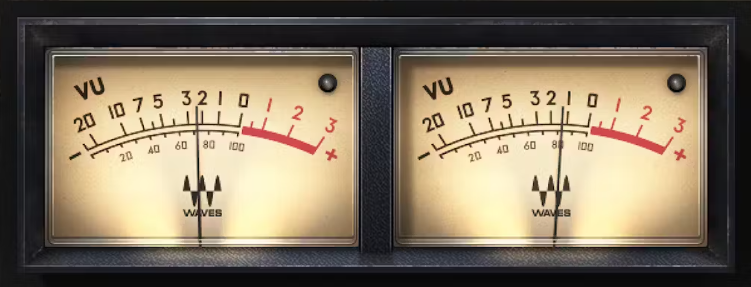
I used to wonder why my vocals always clipped or sounded muddy. Turns out, I wasn't gain staging at all. Once I started using tools like the Waves Audio plugin suite, I finally got control over my dynamics.
Step 3: EQ — Cleaning Up the Vocal
Here’s where your vocals start sounding polished. I usually:
- High-pass around 80 Hz to remove rumble
- Cut muddy mids around 250-400 Hz
- Add presence at 5kHz-8kHz

I love using the Waves SSL E-Channel for this. For dynamic EQing, F6 is a beast.
Pro tip: I always play my vocals with the instrumental to hear how the EQ sits in context. This is something I learned from mixing my own songs like “All Away” and realizing how small EQ moves changed everything.
Step 4: Compression — Control and Punch
You want your vocals to be upfront, not jumping all over the place.
- My go-to is R-Vox from Waves or CLA-2A for smoother tones.
- Set your threshold so it tames peaks without sounding crushed.

Compression took me a while to understand, but now it's one of my favorite parts. I even made a comparison reel on my IG showing how compression transformed a flat vocal into a punchy lead.
Step 5: Add Sauce (Reverb, Delay, Doubles)
Now comes the fun. Sauce adds emotion and space.
- Reverb: I use RVerb or Pro Tools' stock D-Verb for room tone.
- Delay: H-Delay for tempo-synced echoes.
- Doubles: Duplicate your vocal and pan L/R with slight detune.
Listen to my song “Almost” and you'll hear subtle delay throws that add emotion without cluttering the mix. That came from experimenting with plugins and trusting my ear.
Bonus: Mixing Templates = Speed + Consistency
Once I built my vocal chain template in Pro Tools, my workflow doubled in speed. I didn’t have to reinvent the wheel for every session.
I now offer mixing templates and rough mix services through my vocal engineering page. It’s helped hundreds of up-and-coming artists get their sound right without the stress.

Final Thoughts
I’ve been mixing rap vocals in Pro Tools for almost a decade now. I started off clueless — just like you might feel right now. But every mix gets better, every mistake teaches you something. The key is to keep going — and to use the right tools.
If you want to try the same tools I use:
- Amazon List of my Studio Equipment
- Waves Audio Free Trial
- Amazon Music — Stream My Songs + Discover Others
- Upload Your Music with DistroKid
- Hire Me to Mix or Build Your Custom Template
And if you want to hear how all this sounds in action, search Dylan Droll on any streaming platform. Or better yet, stream it through Amazon Music and support both me and your own music journey.
Let’s keep building.