
Waves Tune Real-Time vs Auto-Tune (2026): Honest Breakdown From a Working Artist
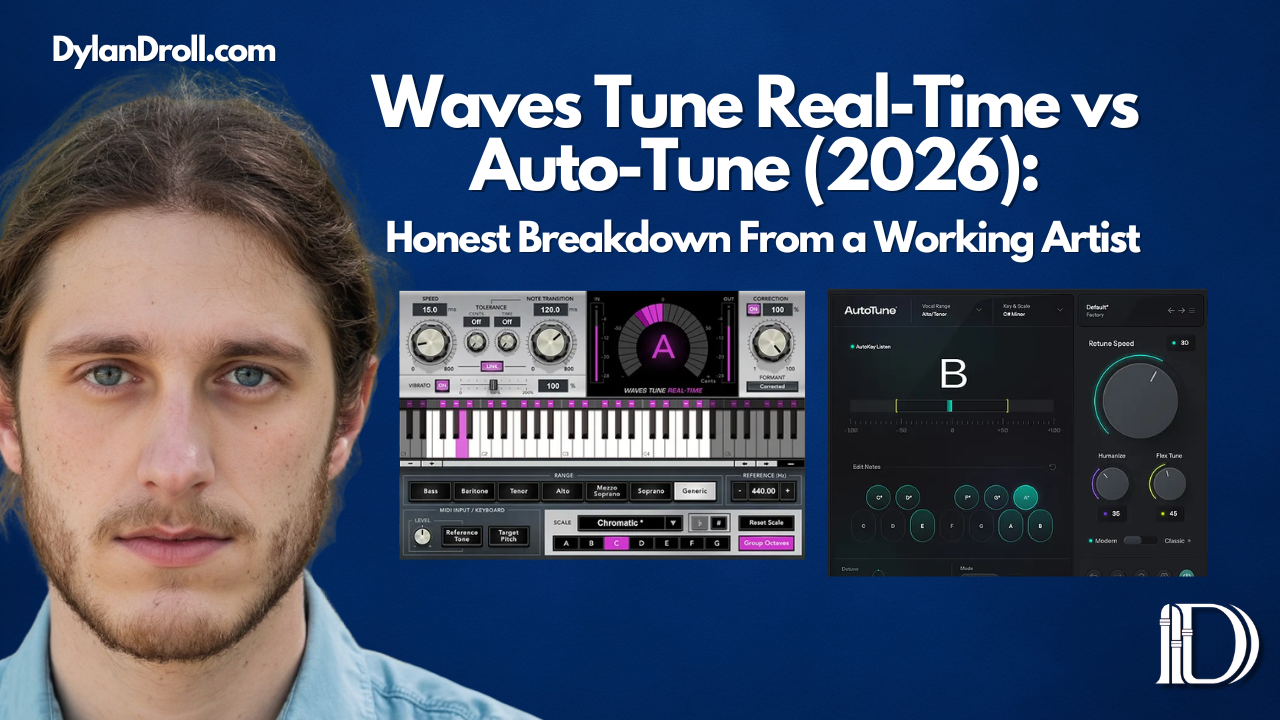
If you searched Waves Tune Real-Time vs Auto-Tune, you're probably trying to figure out the same thing most artists eventually ask:
Which pitch correction plugin actually makes sense for your workflow right now?
There are a lot of producers and engineers who automatically lean toward Auto-Tune because of how iconic it is. At the same time, Waves Tune Real-Time has become one of the most used pitch correction tools in home studio setups — and for good reason.
So instead of making this overly technical, I want to break it down in a real way for artists, home studio creators, and engineers who just want their vocals to sit right without overthinking it.
I use Waves Tune Real-Time as my daily driver. I've also run sessions with Auto-Tune. I'm Dylan Droll — acoustic rap artist and mixing engineer. Here's the honest breakdown.
What Waves Tune Real-Time is trying to do
Waves Tune Real-Time is built for speed and simplicity. It corrects pitch in real time — meaning you can run it while tracking, not just in post-production. The interface is clean and approachable. You set your key and scale, dial in your retune speed, and it handles the rest.
It doesn't have a graphical pitch editor for manual note-by-note corrections. That's the trade-off. But for most artists who want natural, transparent correction while recording, it does the job without adding friction to the session.
One of the biggest advantages: it's included in the Waves subscription. If you're already paying for Waves plugins, you already own it. That alone changes the math on this comparison.
Want to check it out for yourself?
Get the Waves subscription here
Or if you want to test before committing:
Start with the Waves free trial here
Interested in buying the plugin?
You can click here to purchase!
What Antares Auto-Tune is trying to do
Auto-Tune invented the category. It's been on major records for nearly 30 years. The Pro version gives you real-time correction and a graphical mode where you can manually redraw pitch curves note by note. It's more powerful, more flexible, and more CPU-heavy.
The signature "Auto-Tune effect" — that hard robotic pitch snap you hear on trap and melodic rap records — is native to Antares. If someone wants that T-Pain or Travis Scott type processing, Auto-Tune is where that lives.
The cost is real. Auto-Tune Pro standalone runs over $299. The subscription option brings it down, but it's still a dedicated purchase — compared to Waves where you get pitch correction plus an entire plugin library for $10.99/mo.
Waves Tune Real-Time vs Auto-Tune: the real difference
The simplest way I'd describe it:
Auto-Tune is the more powerful, feature-rich option with the iconic sound.
Waves Tune Real-Time is the faster, leaner, better-value option for most home studio setups.
That doesn't mean one is automatically better than the other. It means they fit different people.
- Use Auto-Tune Pro if you want graph mode for manual pitch editing, the signature robotic effect, or you're working in genres where that processing is core to the sound.
- Use Waves Tune Real-Time if you want something fast, transparent, and already inside the Waves ecosystem — especially if you're tracking your own music and need it to just work.
Key differences at a glance
- Graphical pitch editor: Auto-Tune Pro has it. Waves Tune Real-Time does not.
- CPU usage: Waves Tune is lighter. Auto-Tune Pro runs heavier on CPU.
- The robotic effect: Auto-Tune nails it natively. Waves can get close but it's not the same.
- Price: Waves Tune Real-Time is ~$39 standalone or included in the Waves sub. Auto-Tune Pro is $299+.
- Subscription value: Waves gives you their full plugin library for $10.99/mo. Antares subscription is $19.99/mo for Auto-Tune only.
- Learning curve: Waves is beginner-friendly. Auto-Tune Pro has more depth but more to learn.
- Live performance: Waves Tune Real-Time was built for live use. Auto-Tune handles it too.
Which is better for artists and home studios?
For most independent artists, the answer comes down to budget, workflow, and what sound you're after.
If you already use Waves plugins, Waves Tune Real-Time makes a lot of sense. It keeps your workflow simple and that matters more than people admit. Half the battle in a home studio is not just owning plugins — it's knowing them well enough to move quickly and make decisions with confidence.
If your sound requires heavy pitch processing, the hard Auto-Tune snap, or you need to get surgical with manual corrections after the fact — Auto-Tune Pro is the tool that does that. No workaround needed.
My real-world experience
I run Waves Tune Real-Time on almost every session I track. My setup is Pro Tools with an Apollo Twin, and Waves Tune Real-Time fits into that workflow without adding friction. I set the key, dial in a retune speed that keeps things natural, and record. It catches pitch issues in real time so what I'm monitoring while tracking is already corrected — which actually affects my performance in a good way. I'm not chasing notes when I can already hear things sitting right.
When mixing for other artists, the question is always what they need sonically. Clean, transparent correction on an acoustic or R&B vocal? Waves handles it well. Heavy pitch processing, the signature glide, or note-by-note manual editing? That's when Auto-Tune Pro earns its price tag.
For the artist just starting out and building their home studio — unless you specifically need the robotic sound or manual pitch editing — Waves Tune Real-Time through the Waves subscription is the smarter first move.
Which one would I pick?
I already use Waves Tune Real-Time and I'd pick it again for my workflow. It's fast, it sounds natural on acoustic rap vocals, and it's part of the subscription I'm already on.
If I were specifically building in a genre where the Auto-Tune effect is part of my identity — or if I needed graph mode for detailed manual corrections — I'd go Auto-Tune Pro. It's a legitimate tool with a proven track record on major records.
This is exactly why Waves Tune Real-Time vs Auto-Tune is such a common comparison right now. People aren't randomly comparing them. They're trying to figure out whether Waves is good enough to replace a $299+ purchase. For most independent artists, it is.
Why this matters to me as an artist
I test every tool through the lens of actual songs. When I'm working on records that lean emotional and stripped back, I care about pitch correction that sounds human — not over-processed. That's a big part of the Acoustic Rap lane I'm building.
If you want to hear the kind of music I'm talking about, I've been building this playlist around that sound:
Other plugin articles worth reading
If you're building out your vocal chain right now, these will help:
- Waves L4 Ultramaximizer vs L2: What's the Difference and Which Should You Use?
- Waves L4 vs L3 vs L2 (2026 Guide): Which Waves Limiter Is Best for Your Mix?
- How Loud Should Vocals Be in a Mix? dB / LUFS Cheat Sheet for Artists
And if you already know which direction you're going, here are both links again:
Get Waves Tune Real-Time (Waves Subscription)
Start your Waves free trial
Get Auto-Tune by Antares