
How to Use Waves Tune Real-Time for Live Vocal Recording (2025 Guide)

If you're trying to get that tuned, polished vocal sound while you're recording, Waves Tune Real-Time might be the plugin you’ve been looking for. Whether you're aiming for a subtle correction or that signature melodic rap tone, it can completely change the way your vocals sit in the mix — and save you a ton of time during post-production.
What Is Waves Tune Real-Time?
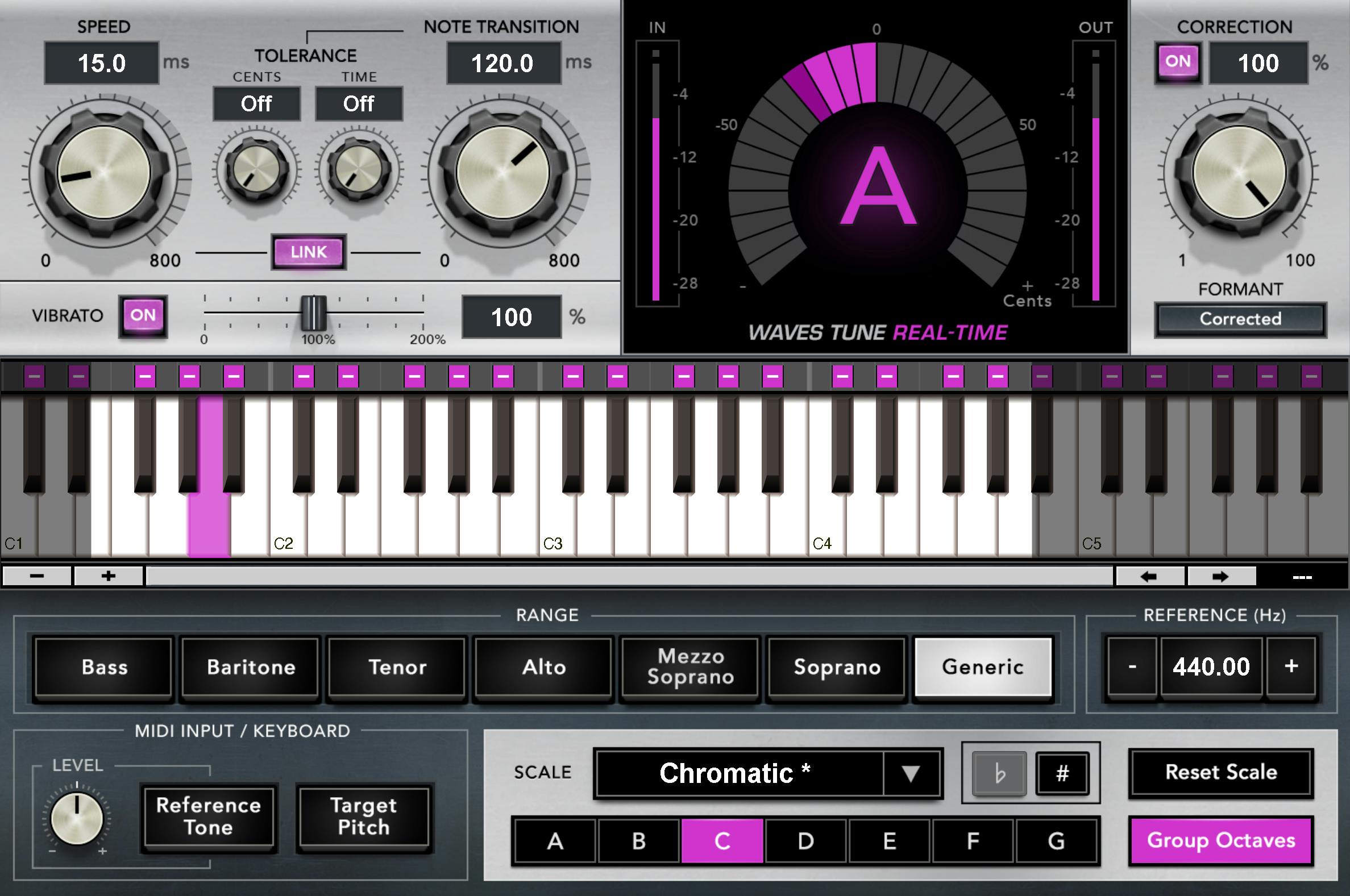
Waves Tune Real-Time is a pitch correction plugin designed to be used live during recording. It processes incoming vocals in real time, automatically tuning them to the selected key. It’s a go-to for engineers and artists who want to monitor with Auto-Tune-like effects without the latency of some traditional tuners.
Why I Started Using It (And Why I Still Do)
I first started experimenting with Waves Tune Real-Time on a song that ended up turning into something way more personal — it’s called “All Away”. The first verse was actually recorded almost a year before the rest of the track was finished. Back then, I was just layering melodies and freestyling with pitch correction on, trying to feel something real.

Recording through Waves Tune Real-Time gave me that confidence to lean into melodies more — I could hear the emotion in real-time and match my energy without second-guessing pitch. The way the vocal sat in the pocket on that beat gave me the push I needed to finish the record later when life calmed down.
Now it’s one of the most personal tracks I’ve ever dropped, and it all started from just vibing out with the right plugins.
How to Set Up Waves Tune Real-Time in Pro Tools
- Create a new Aux Input track and insert Waves Tune Real-Time on that aux channel.
- Set the plugin’s key and scale (or enable MIDI input if you want more control).
- Send your mic input through the aux track using a bus — this way your vocals get processed before they’re recorded to audio.
- Set low latency mode in Pro Tools if needed, especially when tracking with headphones.
- Monitor your vocals in real time — tuned and ready to go.
My Favorite Settings for Melodic Rap Vocals
If you’re doing melodic rap like Juice WRLD, Kid LAROI, or Rod Wave, here’s a good starting point:
- Speed: Fast (0–10 ms) for that auto-tuned feel
- Note Transition: 0.00–15 for tighter pitch jumps
- Scale: Major or Minor (match the key of your beat)
- Range: Set to Alto/Tenor to lock in better tracking
I also run a Waves DeEsser and CLA Vocals after it on the aux bus — just to smooth things out and glue the vocal together.

Waves Tune vs Tune Real-Time
Waves Tune (the OG version) is meant for fixing vocals after you record. It works kinda like Melodyne. But for me, I want to hear the vibe while I’m tracking — especially when I’m layering melodies and doing takes back to back. That’s where Waves Tune Real-Time really shines.
Waves Tune Real-Time vs Auto-Tune Pro
Auto-Tune Pro might have more features on paper, but if you’re on a budget and already using Waves plugins, this one makes way more sense. Plus, the learning curve is way easier if you're just getting into recording.
Want to try it yourself? Click here to start a free trial of Waves plugins.
Need Help Setting It Up?
If you're just getting started with Pro Tools or Waves plugins, I offer mixing services and one-on-one coaching for independent artists. Whether you’re recording at home or in a studio, I can help dial in your vocal chain and workflow.
My Recommended Gear for Recording with Waves Plugins
If you’re building a home setup and want gear that won’t break the bank, here’s what I recommend:
Final Thoughts + Music You Can Check Out
If you made it this far, chances are you’re trying to level up your sound. I’ve been there — figuring it all out alone, tweaking plugins late at night, trying to find something that feels right. That’s exactly how “All Away” came to life.
If you want to hear what Waves Tune Real-Time sounds like in action on a real song — read the full story here or hit play on the playlist below.
🎧 Listen to “All Away” and more on Spotify:
https://open.spotify.com/playlist/55hZj4oRTcoNjwGqGoUGeA
💡 Click here to try Waves Tune Real-Time and more plugins for free
🎛️ Or try a free trial of Pro Tools here
If you’re trying to get better at recording, mixing, or just want a second ear on your song — tap in with me here.