
Melodyne vs Auto-Tune 2025: Which Vocal Tuning Plugin Is Right for You?
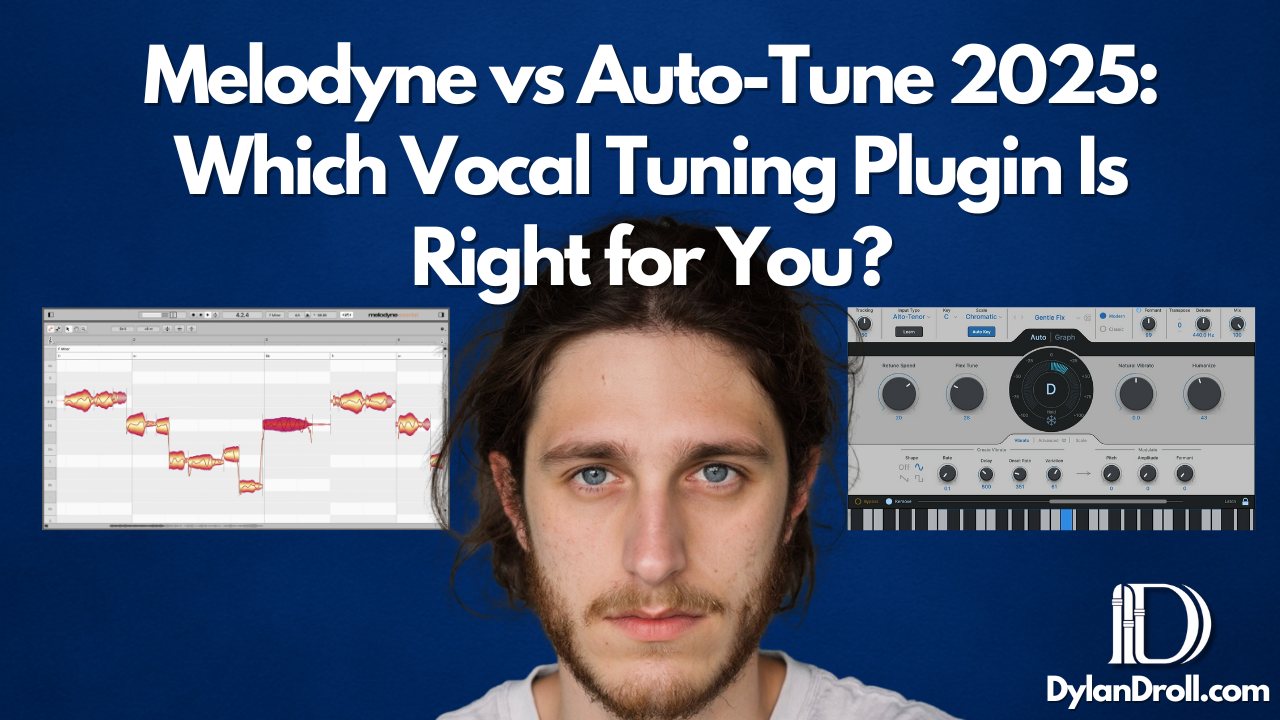
In the world of vocal production, two names stand out: Melodyne and Auto-Tune. Whether you're an engineer, a recording artist, or just getting started in your bedroom setup, you've probably asked yourself:
“Melodyne vs Auto-Tune — which is better?”
As someone who's been recording and mixing vocals for over a decade, let me break it down from my personal perspective as Dylan Droll — an independent artist, songwriter, and audio engineer who’s obsessed with getting vocals right.
Melodyne vs Auto-Tune: What’s the Real Difference?
If you're tuning vocals in 2025, both Melodyne and Auto-Tune are powerhouses — but they serve different purposes.
- Auto-Tune is best known for its signature real-time effect — that robotic, snappy sound used by Travis Scott, T-Pain, and The Kid LAROI. It’s great for stylistic control and live performance.
- Melodyne, on the other hand, gives you surgical pitch and timing correction. It’s ideal for making vocals sound natural, transparent, and emotional.
I use Melodyne when I want my raw vocal to breathe. When I want a track to feel tight, emotional, and human. I use Auto-Tune when I want that modern pop/rap effect.
Melodyne vs Auto-Tune Plugin Comparison (2025)
| Feature | Auto-Tune | Melodyne |
|---|---|---|
| Real-time Tuning | ✅ Yes | 🚫 No |
| Natural Tuning | ⚠️ Sometimes | ✅ Best in class |
| Graphical Pitch Editing | ✅ | ✅ (More advanced) |
| Price (Standard Edition) | $149+ | $99–$399 |
| Best For | Trap, Pop, Live Use | Singer-songwriters, R&B, Transparent Editing |
Which Is Better for Vocal Tuning in 2025?
Why Auto-Tune Might Be Right for You:
- You want that modern rap/pop tone instantly.
- You perform or track live and need real-time correction.
- You prefer fast results over detailed editing.
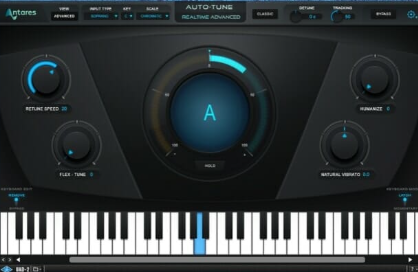
I use Auto-Tune Access as a lightweight version when I’m doing quick demos. If you want the classic “tuned” sound, Auto-Tune Pro gives you full control.
Why Melodyne Might Be Better:
- You need to move individual notes, adjust vibrato, or tighten timing.
- You want transparent, natural-sounding vocals.
- You’re tuning harmonies, doubles, or intricate vocal stacks.
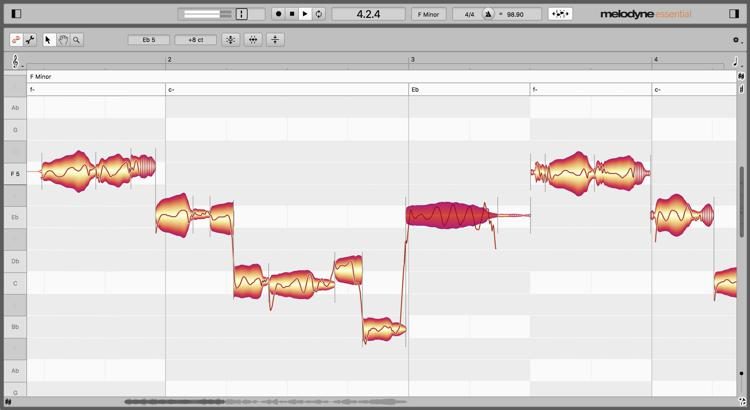
I personally lean on Melodyne for final mixdowns. It gives me surgical precision without sounding robotic — especially helpful when I’m recording emotional hooks or intimate verses.
Melodyne vs Auto-Tune: Why Not Use Both?
Honestly? I use both.
I’ll slap Auto-Tune on the input chain to lock in pitch while tracking. Then I’ll go in with Melodyne after recording to fix small issues — slides, scoops, or note endings — that Auto-Tune misses.
That’s what separates a beginner mix from a professional one.

Tools I Use in My Vocal Chain
If you're building your first setup or upgrading your vocal mix chain, here’s what I use as an engineer and artist:
- 🎛️ Waves Plugins – Legendary vocal tools. Try Waves free here
- 🎚️ Pro Tools – My DAW of choice. Try Pro Tools for free
- 📦 DistroKid – I release all my songs through them. Get 7% off DistroKid
- 🎧 Amazon Music Unlimited – I monitor all my releases and playlists here. Try Amazon Music Free
Why This Matters
Whether you're mixing at home or in a full studio, learning how to tune vocals properly can change the way people hear your music. For me, switching between Melodyne and Auto-Tune depending on the song’s emotion has helped me develop my sound — and connect deeper with listeners.

If you’ve ever listened to one of my tracks and thought, “Damn, this hits different,” — the secret sauce is usually in the vocal tuning.
🃏 I’m always experimenting, always learning. And if you’re trying to level up your music, feel free to grab the tools I use through the links above.
Want to Know More?
Check out my full list of creator tools and music gear on Amazon. Every signup or purchase helps support my music journey — and hopefully yours too.